
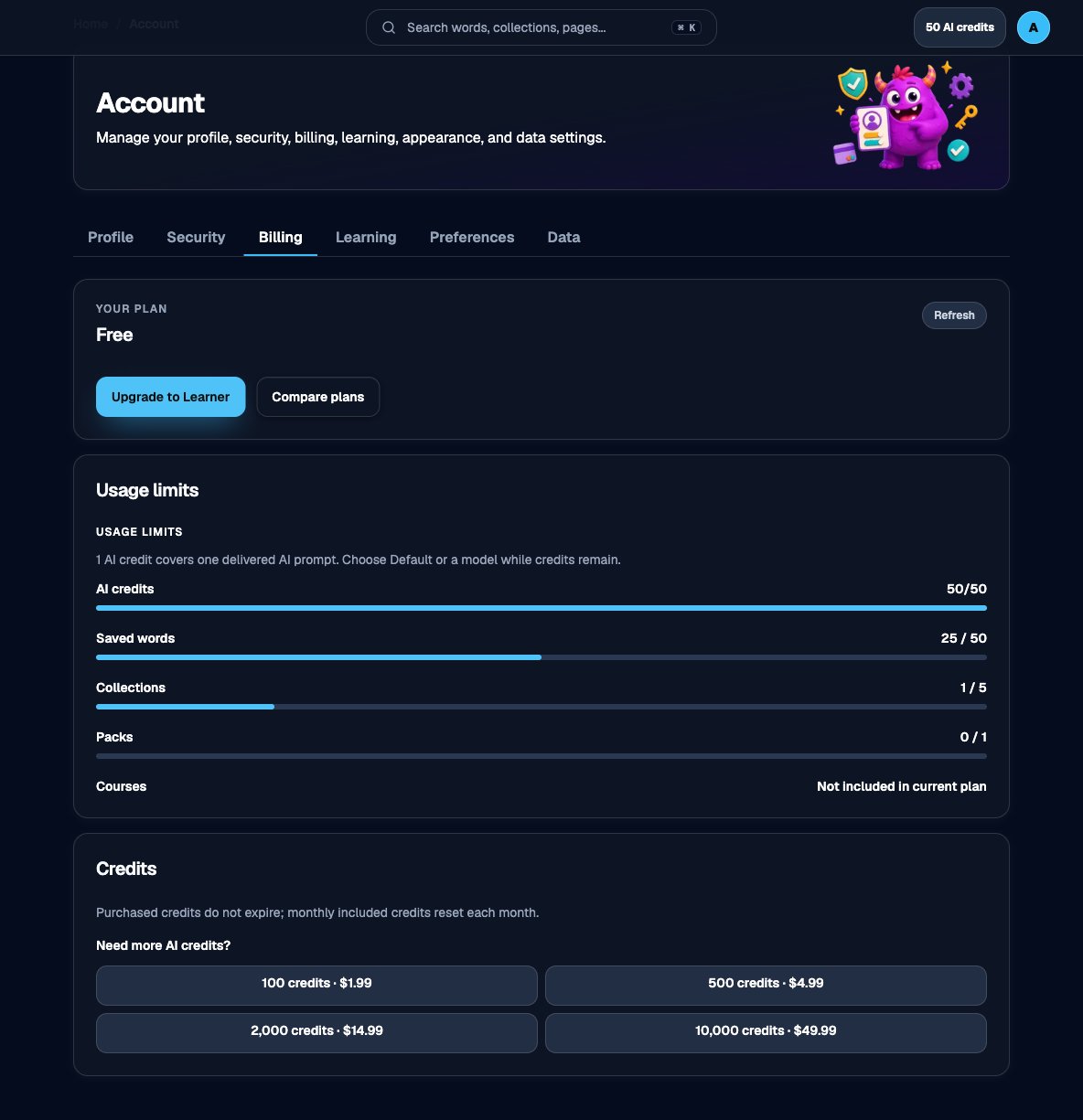
Billing tab, with your plan, usage limits, and credit packs
1
Open Account → Billing
Sign in and open the Billing tab.
2
Read your plan and usage
Billing shows the current plan and how close you are to word, collection, pack, and credit limits. Compare tiers in Plans and limits.
3
Upgrade, manage, or cancel
Free accounts can upgrade to Learner or Courses. Paid accounts use Manage Billing for the Stripe portal, or cancel at period end. See Upgrade, downgrade, or switch plans.
4
AI credits
1 AI credit covers one delivered AI prompt. Monthly included credits reset each month and do not roll over. Purchased credits do not expire. See How credits work and Which games use AI credits.
Stripe handles checkout, payment methods, invoices, and cancellation. Vocab Monster does not store full card numbers or CVCs.